History and Dictionary
History
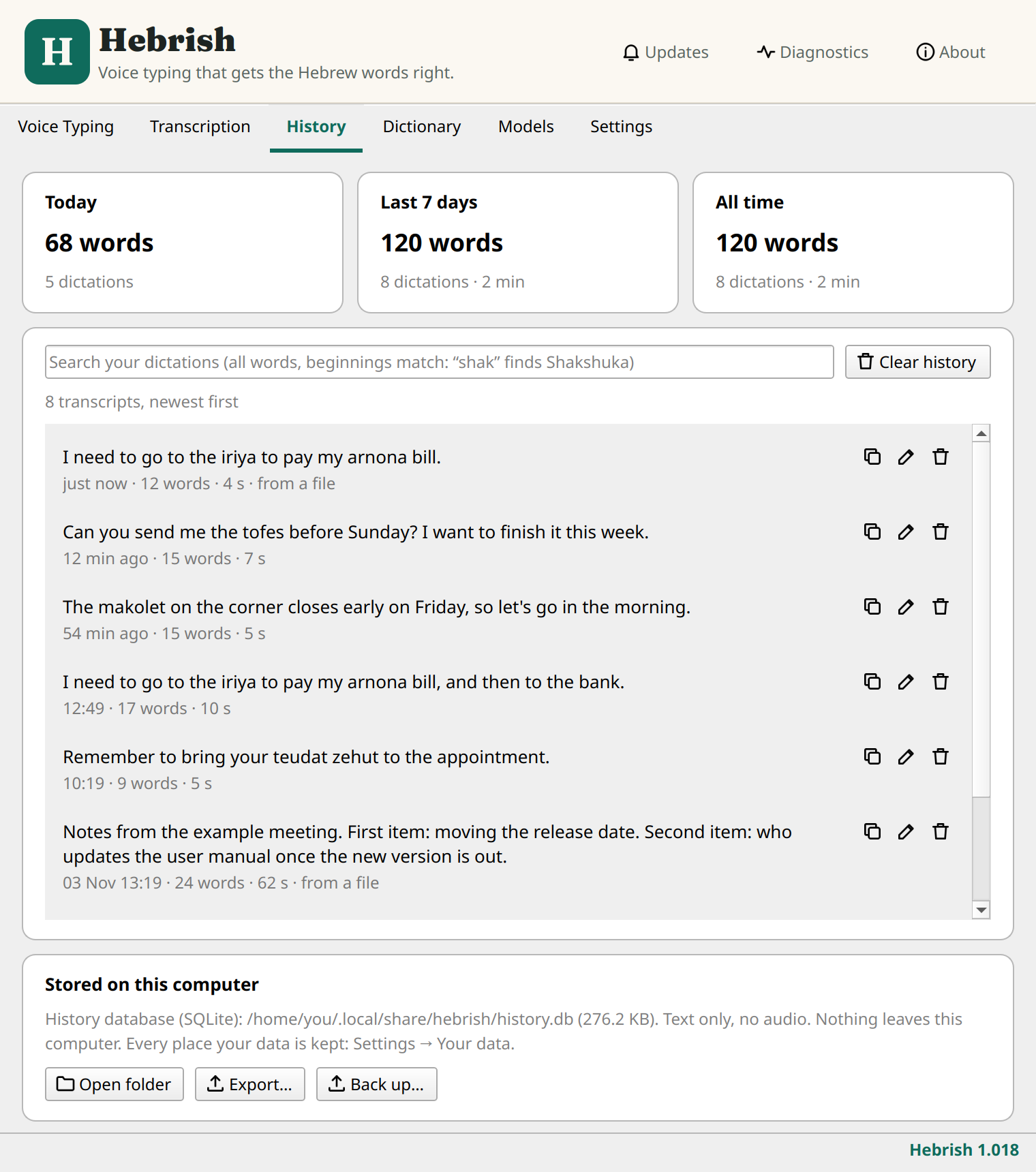
The transcripts in this picture are examples written for this manual.
Every take is kept on your computer, as text only. The top of the tab counts your words for today, the last 7 days and all time.
- Search matches all the words you type, and beginnings of words: "shak" finds Shakshuka.
- Each row has buttons to copy, edit and delete it. If you correct a transcript, the model's original text is kept alongside your correction.
- Clear history deletes everything.
- Export… and Back up… save your history to a file. See Your data and privacy.
To stop keeping history, turn off Keep a history of every transcript in Settings. The History tab then disappears.
Dictionary
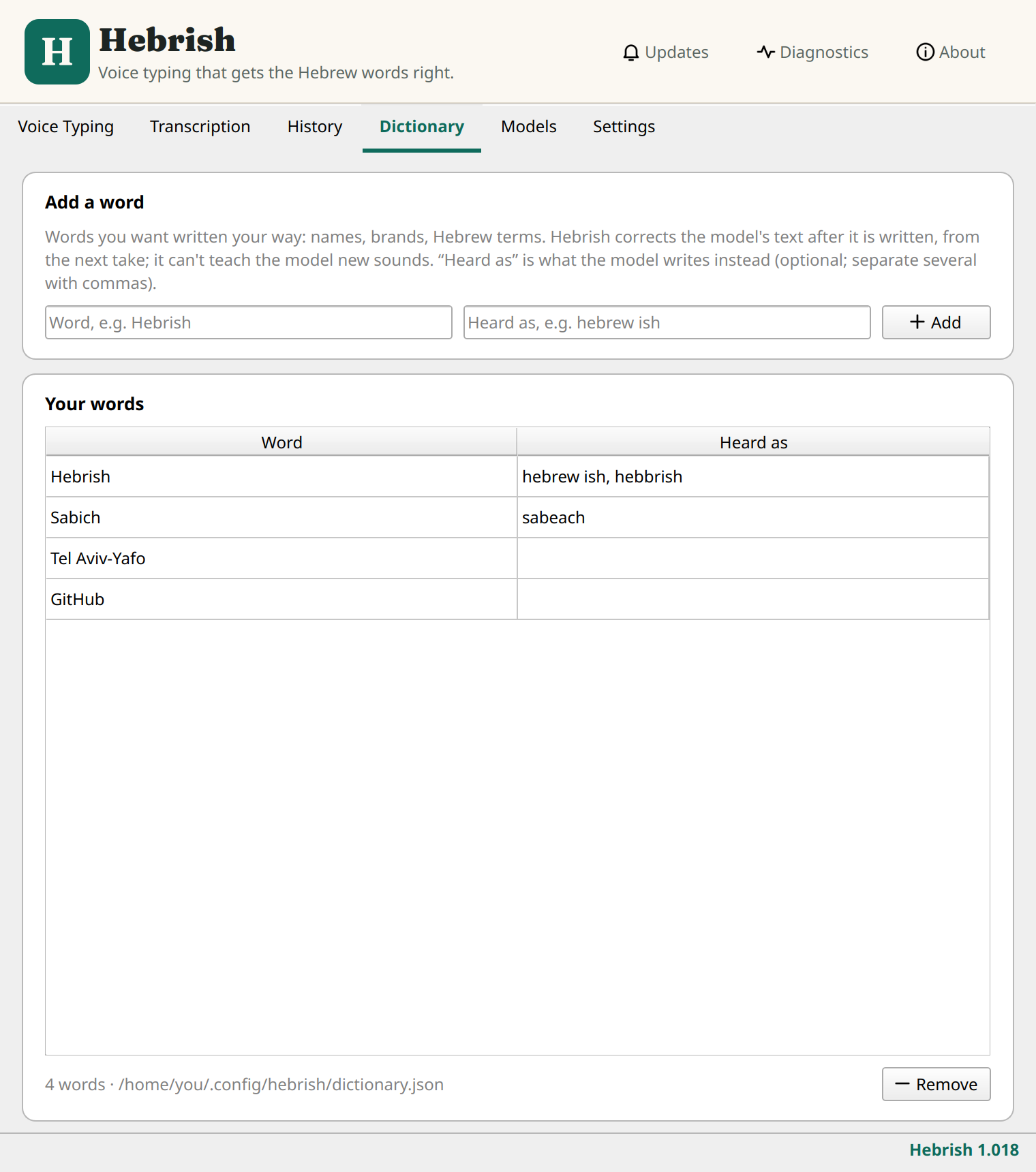
Use the Dictionary for words you want written your way: names, brands and Hebrew terms. Hebrish corrects the model's text after it's written, from the next take.
- Under Add a word, type the word as you want it written.
- Optionally, in Heard as, type what the model writes instead. Separate several with commas.
- Click Add.
Select a row in Your words and click Remove to delete it.
The Dictionary can't teach the model new sounds. It only replaces what the model wrote. If it keeps getting a Hebrew word wrong, send the word so it can go into training.