Local API and agents
This page is for people who write scripts or use coding agents. You don't need it to use Hebrish.
Transcription
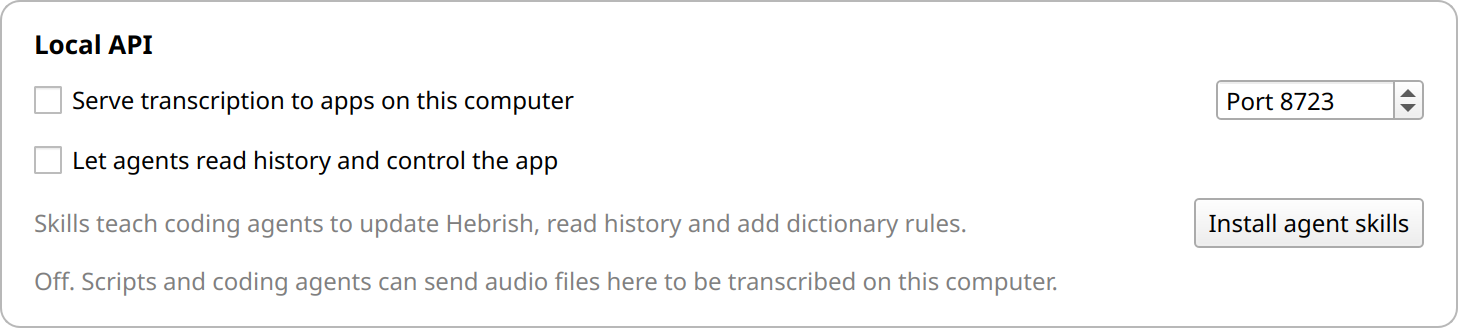
Turn on Serve transcription to apps on this computer in Settings → Local API. Hebrish then transcribes audio files sent to it by other programs, with the model it has loaded.
It listens on 127.0.0.1 only, port 8723 by default. There's no password, so anything running on your computer can use it, and nothing else can. It refuses requests from web pages. The endpoint is OpenAI-compatible, so OpenAI clients work by pointing their base URL at it:
curl -s http://127.0.0.1:8723/health
curl -s http://127.0.0.1:8723/v1/audio/transcriptions -F file=@note.mp3 -F response_format=text
You get the text Transcription gives for the same file, without paragraphs or clean-up. Nothing is kept in History.
Agent control
Let agents read history and control the app adds your transcript history, the Dictionary, updates, model choice and starting or stopping dictation to the same port. GET /v1 lists the routes. It's off by default. Turn it on only if you're happy for programs on your computer to read your transcripts.
Agent skills
Install agent skills, or hebrish --install-agent-skills, gives Claude Code, Codex and Gemini CLI skills that use the API: transcribe-with-hebrish, update-hebrish, read-hebrish-history and fix-hebrish-mistranscriptions. The last one tests each rule against your real history before adding it. More are in Hebrish-Agent-Skills.
For the server version of Hebrish, see /server.